
In this post, I’ll demonstrate a couple of options to customize Sibelius so it can function more like Finale. If you’re transitioning from Finale to Sibelius, these adjustments can make the process smoother.


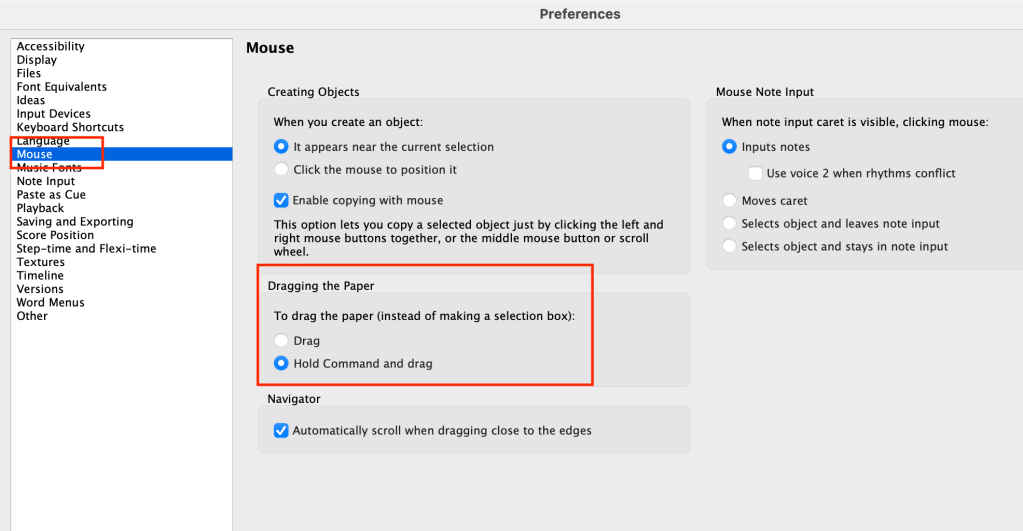
Changing Default Drag Settings
To start, go to the File tab and open Sibelius Preferences. You can also use the shortcut Command + , on Mac or Control + , on Windows.
In the Mouse area of the preferences, there’s an option to change the default setting from “Drag” to “Hold Command and Drag.” If you make this change, Sibelius will now behave more like Finale. When you click and drag, you’ll be able to select elements in order to drag the manuscript paper. Remember to hold Command (or Control on Windows) while dragging.
Adjusting Note Input Preferences
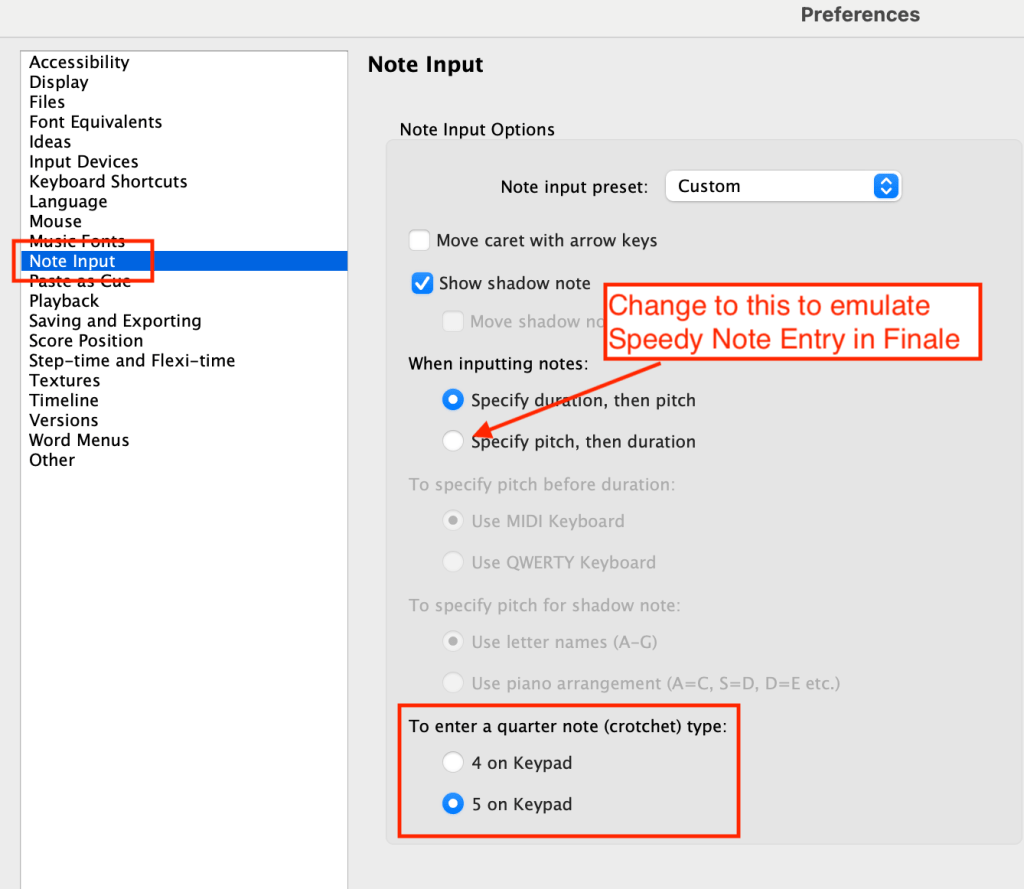
Next, navigate to Note Input in the preferences. If you’re used to Finale, you may want to change the quarter note input from 4 to 5.
If you also use Speedy Note Entry in Finale, change the default setting from “Specify Duration and Pitch” to “Specify Pitch than Duration” in Sibelius.
In Sibelius, you can choose between using a MIDI keyboard or the computer keyboard. Most users prefer Speedy Note Entry with a MIDI keyboard, so I recommend selecting that option.
Entering Notation in Sibelius
When entering notation in Sibelius, select the bar and press N for notation. If you click or use the numeric keypad to type 5, you’ll get a quarter rest. By holding down a pitch or pitches and entering a duration (like the quarter note by typing 5 on the keypad), you’ll achieve the desired pitches. Always play the keyboard first and then use the numeric keypad to enter the duration.
Saving Your Preferences
Remember that your preferences will be retained after you close the program. If you ever need to revert changes, you’ll need to go back into the preferences to adjust them.
For a visual demonstration of these settings, check out the video at the bottom of the page. Please consider subscribing to my channel and leaving a comment or question either in the blog or on the YouTube video.
 Making the Most of Notation Software