

A video walkthrough of these steps is available at the bottom of this post.
Streamlining Lyric Entry with AI
This post demonstrates how you can use AI to dramatically speed up the process of entering lyrics in Sibelius. Whether you’re working with lyrics you’ve written yourself or lyrics from an existing song, AI can help break syllables quickly and efficiently.
For this demonstration, Battle Hymn of the Republic is used as an example.
Step 1: Finding or Writing the Lyrics
To get started, either write your own lyrics or search Google for lyrics to an existing song. In this example, I searched Google for Battle Hymn Lyrics and got several links. The one I used was this link from Song of America.
Step 2: Using AI to Break Syllables
Next, paste the lyrics into an AI chatbot. ChatGPT is used in this example, but you can use other AI tools like:
Enter the prompt:
“Break syllables.”
The AI does an excellent job of breaking the lyrics into syllables, making it easier to paste them into Sibelius.
AI-Processed Lyrics with Syllable Breaks
Verse 1:
Mine eyes have seen the glo-ry of the com-ing of the Lord:
He is tramp-ling out the vin-tage where the grapes of wrath are stored;
He hath loosed the fate-ful light-ning of His ter-ri-ble swift sword:
His truth is march-ing on.
Chorus:
Glo-ry, glo-ry, hal-le-lu-jah!
Glo-ry, glo-ry, hal-le-lu-jah!
Glo-ry, glo-ry, hal-le-lu-jah!
His truth is march-ing on.
Verse 2:
I have seen Him in the watch-fires of a hun-dred cir-cling camps,
They have build-ed Him an al-tar in the eve-ning dews and damps;
I can read His right-eous sen-tence by the dim and flar-ing lamps:
His day is march-ing on.
Step 3: Entering the Lyrics into Sibelius
Adding Verse One
- Copy the first verse—drag-select the text, right-click, and choose Copy.
- In Sibelius, select the first line.
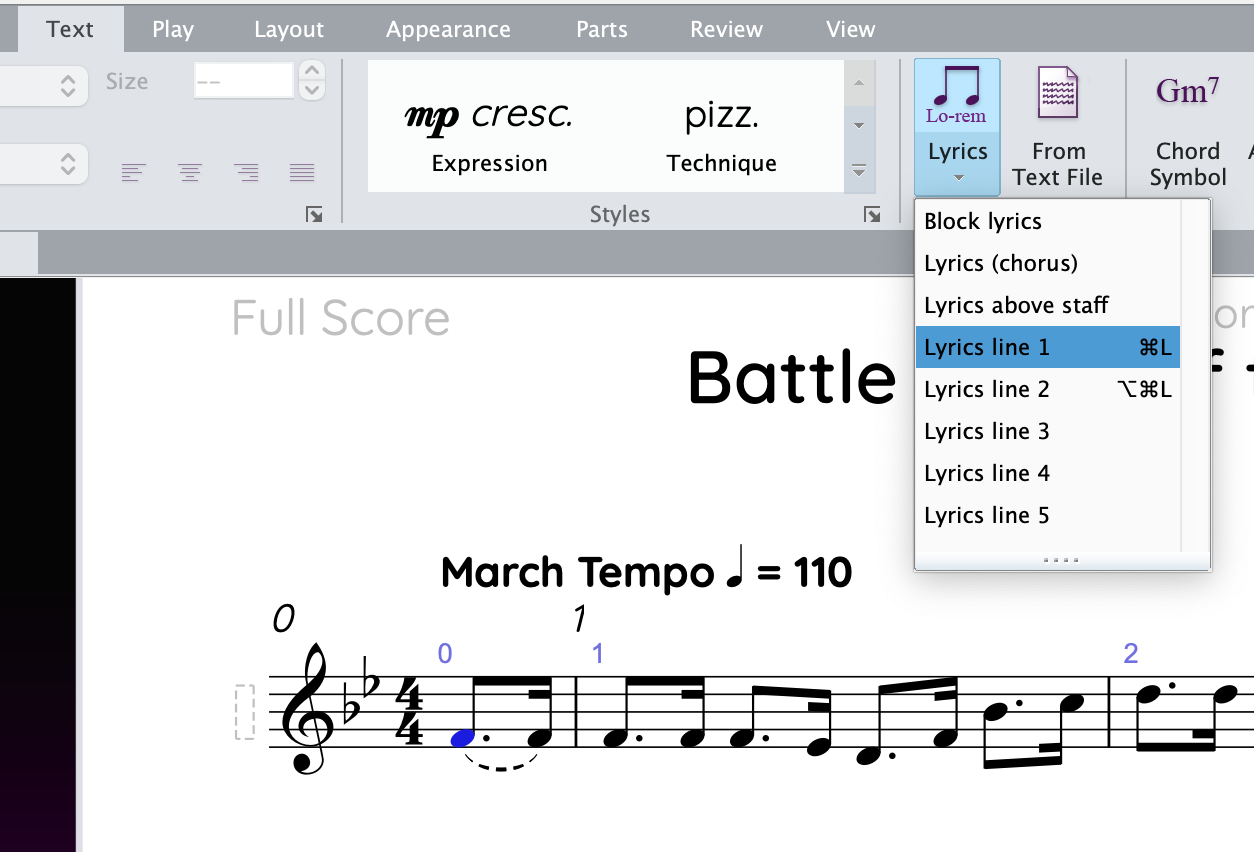
- Navigate to Text > Lyrics > Line 1 (or use the shortcut Ctrl+L (Win) Command+L (Mac)).
- Paste the first line of lyrics using the shortcut Ctrl+V (Win) Command+V (Mac)
Since there are no melismas (where multiple notes are assigned to one syllable), the formatting works well without manual adjustments. 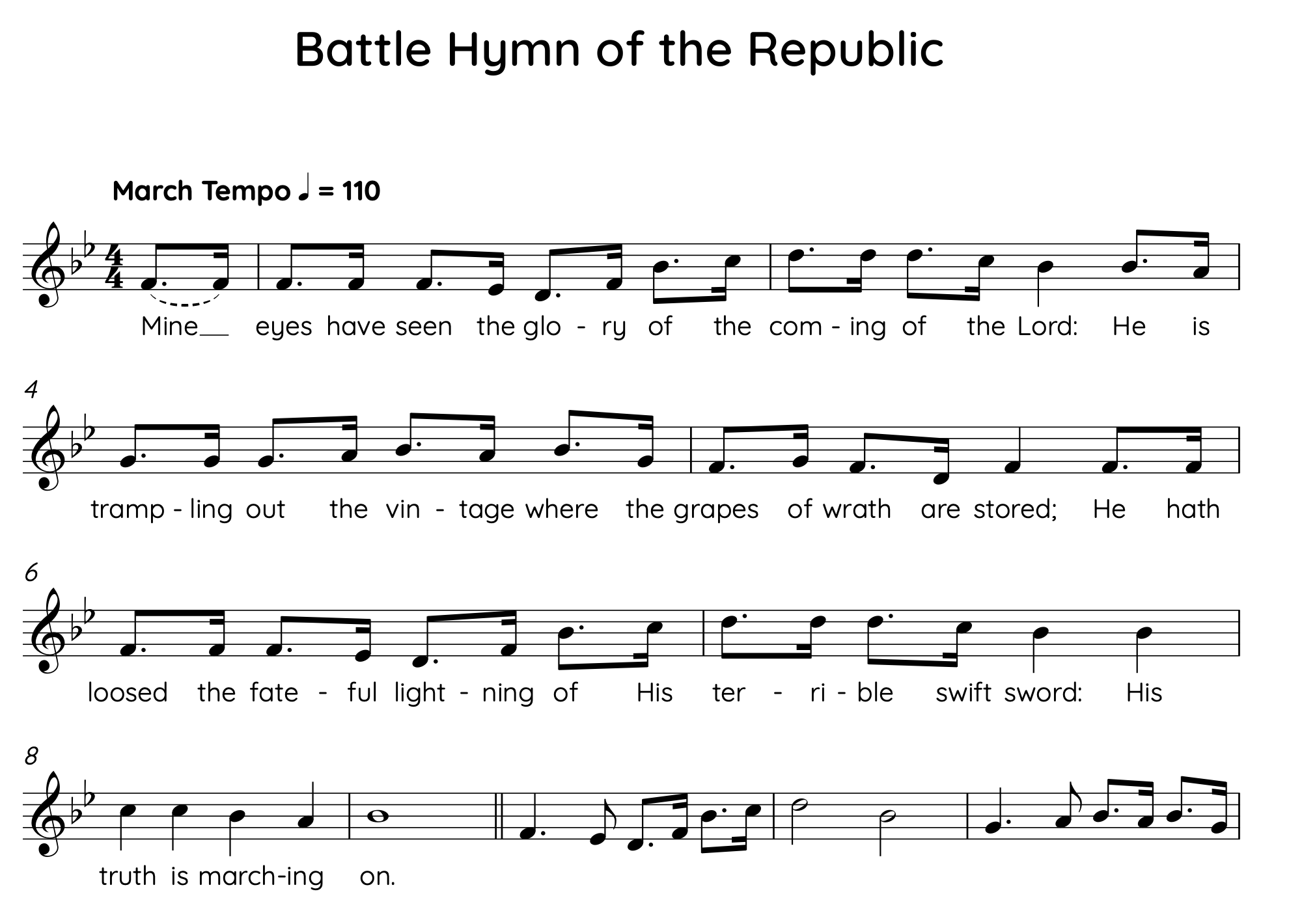
Adding Verse Two
- Return to the AI-generated syllables and copy the second verse.
- In Sibelius, select Lyrics > Line 2 and paste the lyrics iin one at a time using the shortcut Ctrl+V (Win) Command+V (Mac),
- Take time to ensure each lyric aligns correctly.
Formatting the Chorus
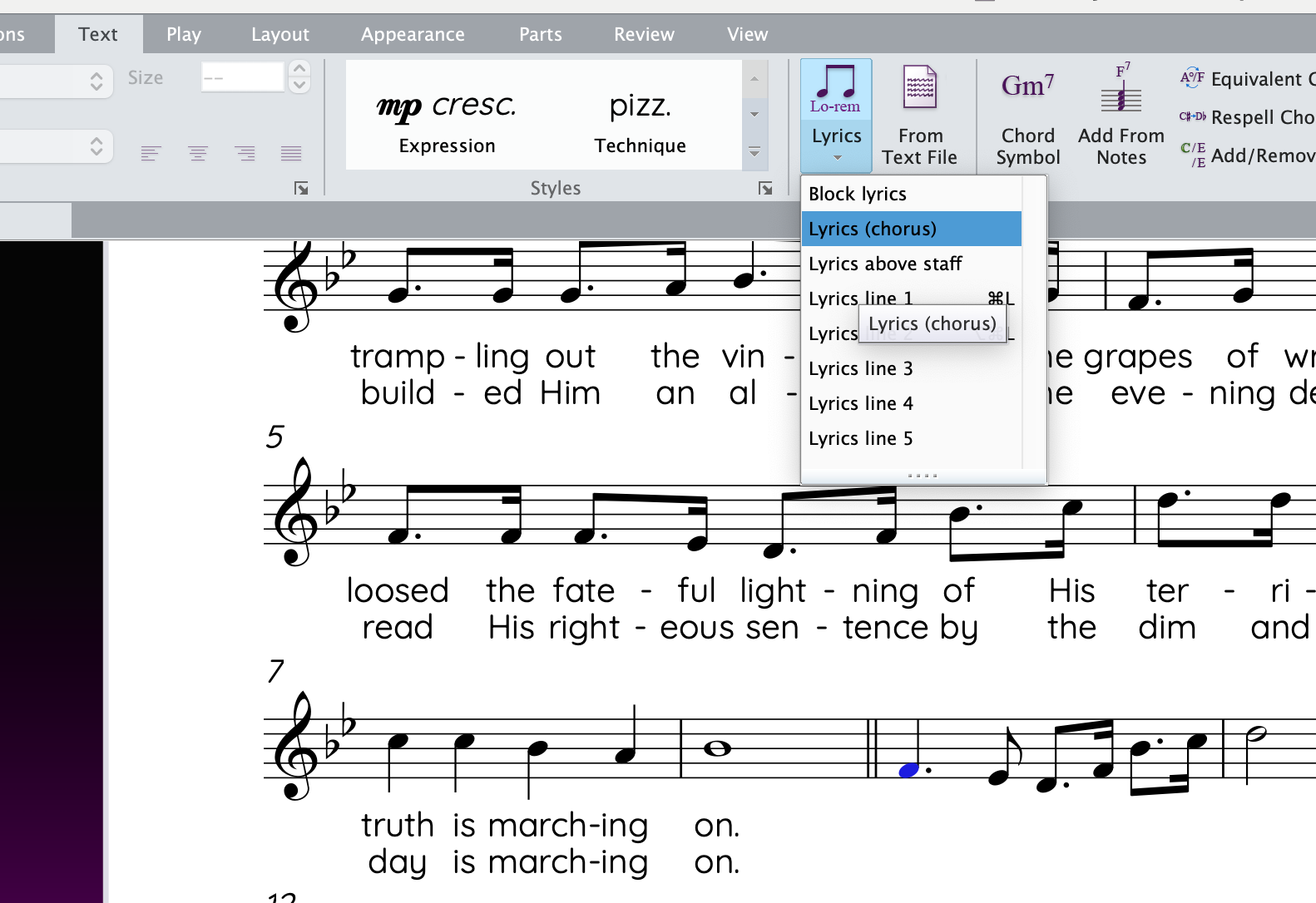
The process for the chorus is similar, but select Lyrics > Chorus before pasting. Sibelius automatically italicizes the chorus lyrics for clarity.
Step 4: Refining the Layout
After entering all the lyrics, make small layout adjustments:
- Move bar 7 down to the next system by selecting it and pressing Return.
- Use Command+D to fine-tune spacing, adjusting it a bit smaller staff size: 0.27 for better readability.
Step 5: Adding Verse Numbers
Finally, use a built-in plugin to add verse numbers:
- Select the first bar.
- In the Command Search box, type Add Verse Numbers and run the plugin.
- Sibelius automatically adds “1” and “2” next to each verse in bar 1.

Summary
Using AI to break syllables and paste lyrics into Sibelius is a huge time-saver.
- Write your own lyrics or search Google for lyrics to existing songs.
- Use an AI chatbot to break the syllables.
- Copy and paste them into Sibelius one verse at a time.
- Make any necessary formatting adjustments.
To see these steps in action, watch the video below:
If you have any questions or suggestions, feel free to leave a comment below.
 Making the Most of Notation Software
bonny! New Study Links Music Education to Academic Success 2025 sharp
LikeLike